 Sigmind
Your database client, with SSH and file transfer built in.
Query PostgreSQL or MySQL, open a terminal and move a file without switching apps. With Sigmind Team, you can also reach your office PC and network from home.
14 days of every feature. No credit card. Your trial starts when you first sign in to the desktop app.
Windows 10/11 · Linux (64-bit) · Mac coming soon
Connect to the databases you use
All eight are included in Free.
What can you do in Sigmind?
Stop switching between a SQL tool, an SSH client, a file manager and a remote desktop app.
Find and edit the right row
Filter a table, edit values in place and save them together in one transaction, or open one record in form view. With Pro, profile a column to see what it holds.
Write a query you can reuse
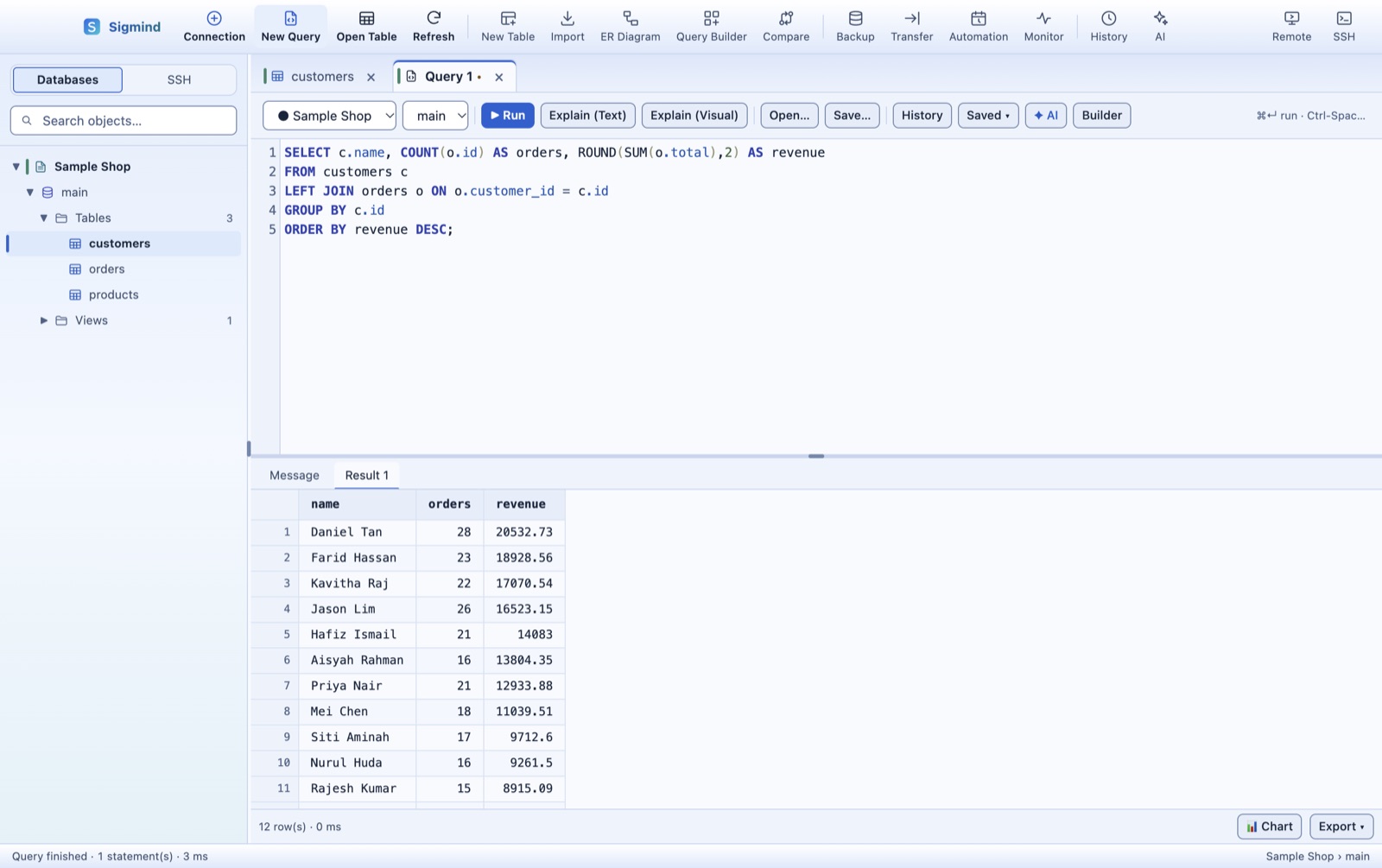
Write SQL with table and column autocomplete. Reopen a query from history, save the ones you use often and turn a result into a chart.
See how your database fits together
Design tables in Free. With Pro, map relationships in ER diagrams, build queries visually and follow a query’s plan with visual EXPLAIN.
Move and compare your data
Copy tables between servers, including between different database types. Compare structures, sync records and browse the data dictionary.
Open a terminal beside your database
Connect to a database through an SSH tunnel in Free. Pro adds split terminals, jump hosts, port forwarding and host import from ~/.ssh/config.
Move files between your computer and server
A two-pane file manager for SFTP, FTP and FTPS. Drag files across, resume stopped transfers, compare folders and change permissions.
Schedule backups and check the server
Back up and restore databases, schedule recurring scripts and exports, and watch server activity in a live monitor.
Ask Claude about your SQL
Write, explain, fix and speed up queries. After you allow it once, requests go straight to Anthropic with your own key. Only table and column names are added, never your rows.
Use your office computer from home
Control your office Windows PC’s screen, or switch on the office VPN to reach its file shares and databases from your Windows PC.
Clean, quick and familiar
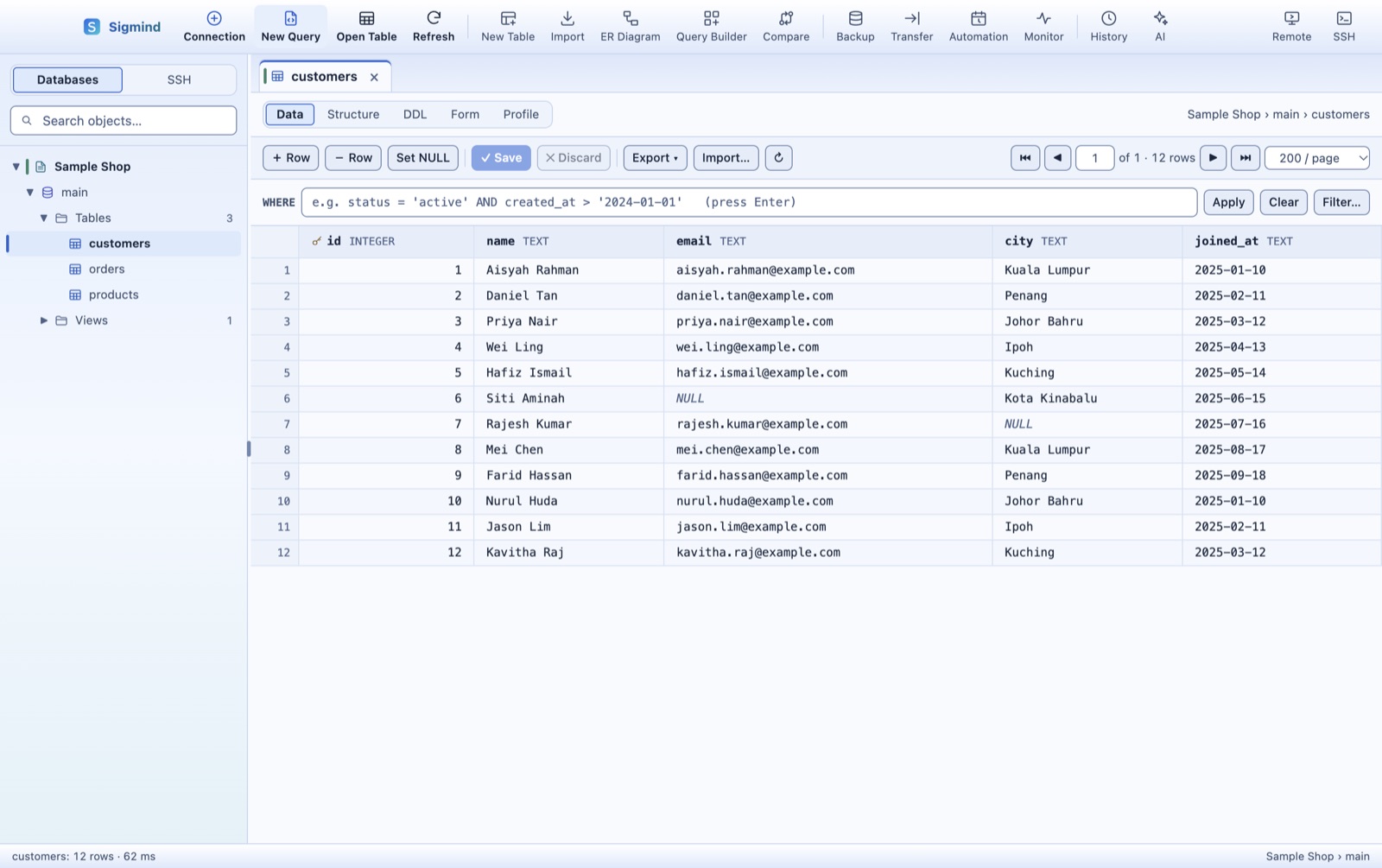
Data grid (Free): filter a table and edit rows like a spreadsheet. Changes are saved together in one transaction.
Use the office screen, or reach the office network.
Remote desktop
See and control your own office Windows PC from your Windows PC at home.
Office VPN
Open an office file share, or connect to an office database from apps on your home computer.
- No ports to open on your office firewall: both computers connect out over HTTPS (443)
- End-to-end encrypted: the relay can’t see your screen, keystrokes or traffic
- The VPN carries office addresses only, so your home internet stays fast
- Nothing to host: the Sigmind relay is included. Your computers sign in with your Sigmind account and only ever see each other
Where does your data go?
Besides connecting to your own databases and servers, Sigmind talks to only three places.
Sigmind Solutions
Your account (email, optional name, hashed password), licence checks (a random ID, computer name, system and app version) and update checks. Never your database passwords, queries or data.
Anthropic, only if you choose
If you add your own API key and allow it, your AI question goes straight from the app to Anthropic, with table and column names. It never passes through our servers.
The relay, encrypted
Remote desktop and VPN traffic is end-to-end encrypted between your own two computers. The relay only forwards data it cannot read.
Choose the tools you need
Start with 14 days of every feature. After the trial, keep using Free or choose a paid plan.
Free
No time limit
- All eight database types
- Data grid, SQL editor, charts
- Table designer, import and export
- SSH tunnels for connections
Pro
or $99 / year, save $45
- Everything in Free
- Visual tools, transfer and sync
- Backups, jobs, monitor
- SSH terminals and port forwarding
- File manager: SFTP, FTP, FTPS
- AI assistant with your own key
Team
or $249 / user / year, save $99
- Everything in Pro
- Remote desktop to your office PC
- Office VPN to servers, shares and databases
Launch pricing: subscribe now and keep these prices for as long as you stay subscribed.
Prices in USD. One account is for one person on up to five computers. Compare all features · Buy for your team
Before you install
When does my 14-day trial start?
The 14 days start the first time you sign in to the Sigmind desktop app. You can create your account and download the app beforehand. The trial includes every Free, Pro and Team feature. No credit card is required.
What happens when my trial ends?
Your account switches to Free. Your saved connections and queries stay, and you can keep using the Free tools. You can upgrade whenever you need Pro or Team features again.
Which computers can run Sigmind?
Sigmind runs on 64-bit Windows 10 and 11 and on 64-bit Linux (Ubuntu 22.04 or newer, Debian 12, Fedora 40 and similar). A version for Mac is coming soon. Download it from your account.
Which databases can I connect to?
All plans support PostgreSQL, MySQL, MariaDB, SQL Server, Oracle, SQLite, MongoDB and Redis. Some tools, such as visual EXPLAIN and backups, depend on the database type.
Can I connect to a database over SSH on Free?
Yes. Free includes SSH tunnels for database connections. Pro adds interactive SSH terminals, split views, port forwarding and the server file manager.
Which file transfer protocols does Sigmind support?
The two-pane file manager supports SFTP, FTP and FTPS. Drag files between your computer and a server, resume stopped transfers and compare folders before copying.
Where are my database passwords stored?
Only on your computer, encrypted with the macOS Keychain, Windows data protection or the Linux keyring (GNOME Keyring or KWallet). They are never sent to Sigmind.
What does the AI SQL assistant send to Anthropic?
Nothing until you add your own Anthropic API key and allow it. Then, when you ask, the app sends your question (and the SQL or error you ask about) directly to Anthropic, with the table and column names of that database. Row values and query results are not added. Requests never pass through Sigmind servers, and Anthropic bills the usage to your own account.
How do remote desktop and office VPN differ?
Remote desktop lets you see and control the screen of your own office Windows PC. Office VPN lets apps on your home computer reach office resources such as file shares and databases. Both run through the Sigmind relay, which is included with Team. They are end-to-end encrypted, and both computers connect out over port 443, so no office firewall port needs opening.
How many computers can I use, and how do I upgrade?
One account is for one person on up to five computers. Pro and Team are priced per user. Buy online from your account page: choose the plan and the number of users, pay securely with Stripe, then send each colleague an invite link. For an invoice or purchase order, email hello@sigmindsolutions.com.
Make your first connection.
Try every feature for 14 days, then keep the Free tools for everyday database work.